Spot colour, CMYK and flood printing compared
| Option | How it works | Useful for | Watch for |
|---|---|---|---|
| One spot colour | One separately specified ink | Solid logos, text and repeating motifs | Tiny details and pale tints |
| Two spot colours | Two separately specified inks | A logo plus a distinct accent | Alignment where colours meet |
| CMYK | Four process inks combine to make colours | Illustrations, photos and gradients | Screen colours outside the printable range |
| Flood background | Ink covers a large area of the sheet | Coloured backgrounds and reversed logos | Coverage, paper feel and reversed detail |
Four-colour CMYK is different from four individually mixed spot colours. If your brand guide lists several Pantone references, tell us whether you need those as separate inks or whether a process-colour approximation is acceptable. Adobe’s guide to spot and process colours explains that distinction.
The builder offers white 17gsm and 30gsm stocks, with full-colour choices on both. Use the available combinations for instant pricing. Additional spot inks, special stock or finishes should be discussed through a bespoke quote.
How a design becomes printed tissue
Flexography is one process used in packaging printing. It uses flexible relief plates; an anilox roller meters ink onto the raised image, which transfers it to the material. The press manufacturer BOBST describes this ink-transfer process. Other print routes also exist, so confirm the production route when a job has specific technical requirements.
For a buyer, the key stages are the same: agree the specification, prepare the artwork, review the proof, approve production, and receive the finished sheets. Colour separations, ink coverage and finishing allowances need to suit the chosen paper and production method.
Tissue is thin and flexible. Fine lettering, very light tints and close alignment between colours can behave differently from the same design on a rigid coated box. A good proof review catches design issues before they become an entire run of unusable packaging.
Which artwork file should you send?
| File or source | Best use | Check before sending |
|---|---|---|
| Vector PDF, AI or EPS | Logos, lettering and line illustrations | Keep paths as vectors; outline or embed fonts as appropriate. |
| High-resolution PNG | An image logo or transparent artwork for review | Check pixel dimensions at the final print size. |
| JPEG or photograph | Photographic designs | Avoid heavy compression and repeated resaving. |
| Screenshot or web thumbnail | A visual reference | Supply an original file if possible; enlarging does not restore detail. |
| Finished repeat layout | A designer-prepared sheet | Include scale, dimensions and clear colour instructions. |
A PDF is a container, not a quality guarantee: a small screenshot saved as a PDF remains a small image. If you have only a raster logo, send the original at its highest available resolution rather than placing it in a document and exporting it again.
The enquiry upload and the live builder preview may accept different formats. Use a supported image for the preview, and send production artwork through the quote form if it cannot be previewed. Tell us if a font, image or logo needs checking.
Check resolution at the actual logo size
For raster artwork, 300 pixels per inch at the intended print size is a useful starting target, not a guarantee that every detail will reproduce. Vector artwork is usually preferable for clean logos and text because it can scale without pixelation.
Inspect small lettering at its final size. Do not judge it only by zooming into a large screen preview. Avoid hairline strokes and tiny white gaps within heavy backgrounds; ask for the minimum line and text specifications appropriate to your production route.
If an image looks blurry before printing, sending a larger screenshot will not fix it. Ask the original designer for the source artwork or a suitable export.
Logo repeats, borders and edge allowances
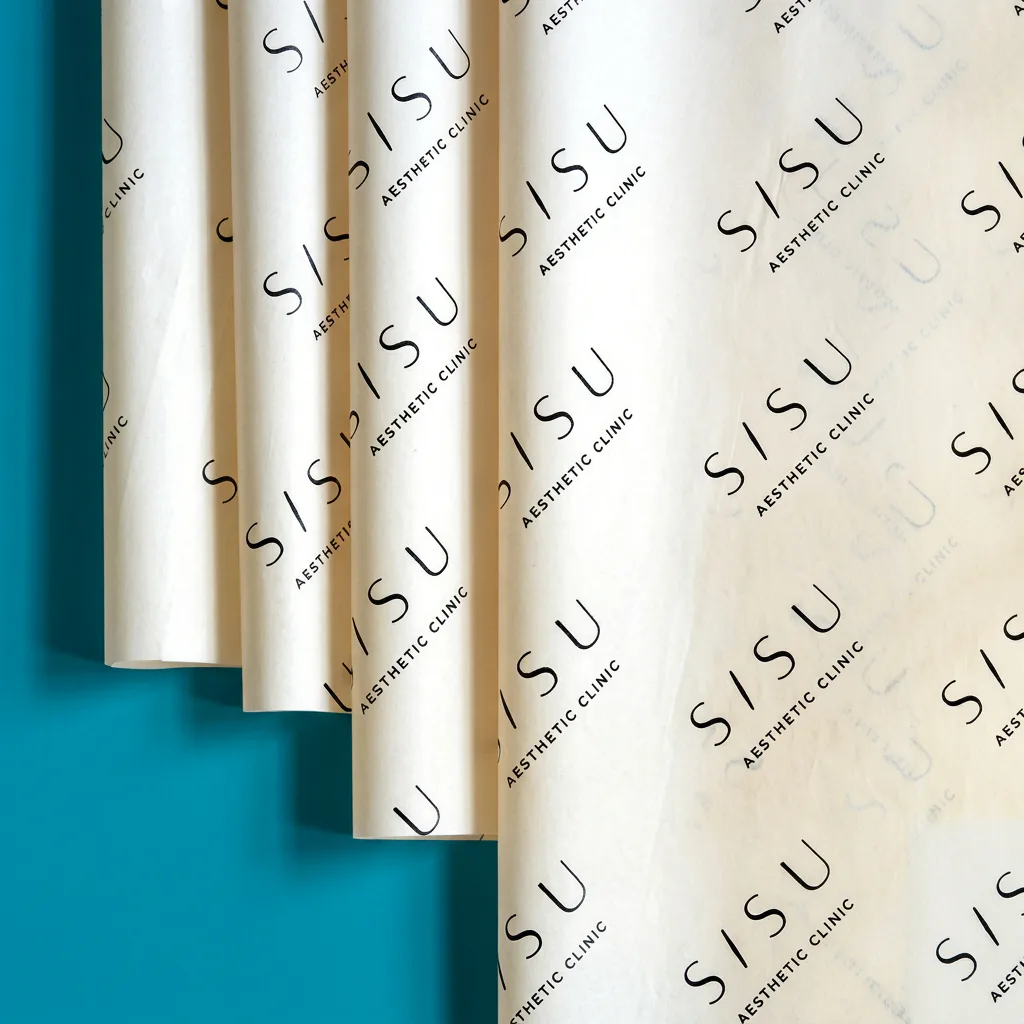
A repeating pattern is forgiving when tissue is folded: the brand can remain visible even if one logo falls underneath a flap. A single centred logo needs more precise placement during both cutting and packing.
- Choose the finished sheet size using the measurement guide.
- Pick a readable logo width and leave enough space between repeats.
- Choose straight, staggered or angled placement to suit how the pack opens.
- Print a paper mock-up and fold it around the actual product.
- Check the area still visible when closed, and again when the customer opens it.
Ask for the production template before assuming a bleed, printable area or trim tolerance. A border close to the sheet edge can make a small cutting variation conspicuous. Keep important text away from trim edges and avoid placing the only complete logo on a fold.
For QR codes or small website text, test a physical printed example at the intended size and on the intended background. A code that scans from a flat screen may not scan from translucent, creased tissue.
Your production-proof checklist
- Specification: correct sheet dimensions, weight, quantity and selected print option.
- Artwork: correct logo version, spelling, URL and any supplied text.
- Layout: logo scale, repeat spacing, orientation and edge treatment.
- Colour: named spot references or agreed CMYK, including the background and any unprinted white areas.
- Fine details: smallest text, narrow lines, gradients and reversed elements have been checked.
- Approval: one clearly identified final file, with all requested changes resolved.
The live builder is a design preview. The production proof is the approval stage. Neither a phone screen nor an ordinary desktop printout confirms an exact ink match on tissue. Ask about a physical colour check if the appearance is critical.
Typical lead time is seven working days from artwork approval. Leave time for revisions and confirm any fixed event deadline before approving. If artwork preparation is needed, ask what work is included and agree any charge in the quote.
Make repeat orders easier
Save the final approved artwork, order reference and a clean finished sheet. Record the paper weight, size, print option and colours so a future colleague can place the same order without reconstructing it from photographs.
Check the current quote when changing quantity, stock or artwork. A previous print setup does not automatically mean a new run has the same price, timing or colour appearance on a different paper.
Common questions
Is a flood print the same as CMYK?
No. Flood describes coverage over a large area. CMYK describes the four process inks used to reproduce colours. A background can be flood printed using a spot colour or a process-colour design, depending on the specification.
Can you print a photograph on tissue paper?
CMYK is the appropriate starting point for photographs and is offered on both 17gsm and 30gsm in the builder. Supply a good-quality image at its intended size and expect the paper texture and translucency to affect its appearance.
Do I need to design the whole repeating sheet?
You can supply a logo and explain the size, spacing and repeat style you want. Use the builder to explore the layout, then check the production proof before printing. Ask about preparation work if your file needs adjusting.
Do you send a proof before production?
Yes. Check the design, dimensions, layout and colour instructions on the digital production proof before approving. The usual seven-working-day lead time begins after artwork approval.